Compare Kubernetes YAML: Ignore Order Noise and Find Real Changes
Compare multi-document YAML by resource identity, match containers by name, ignore generated fields, and share a runnable two-change Kubernetes example.
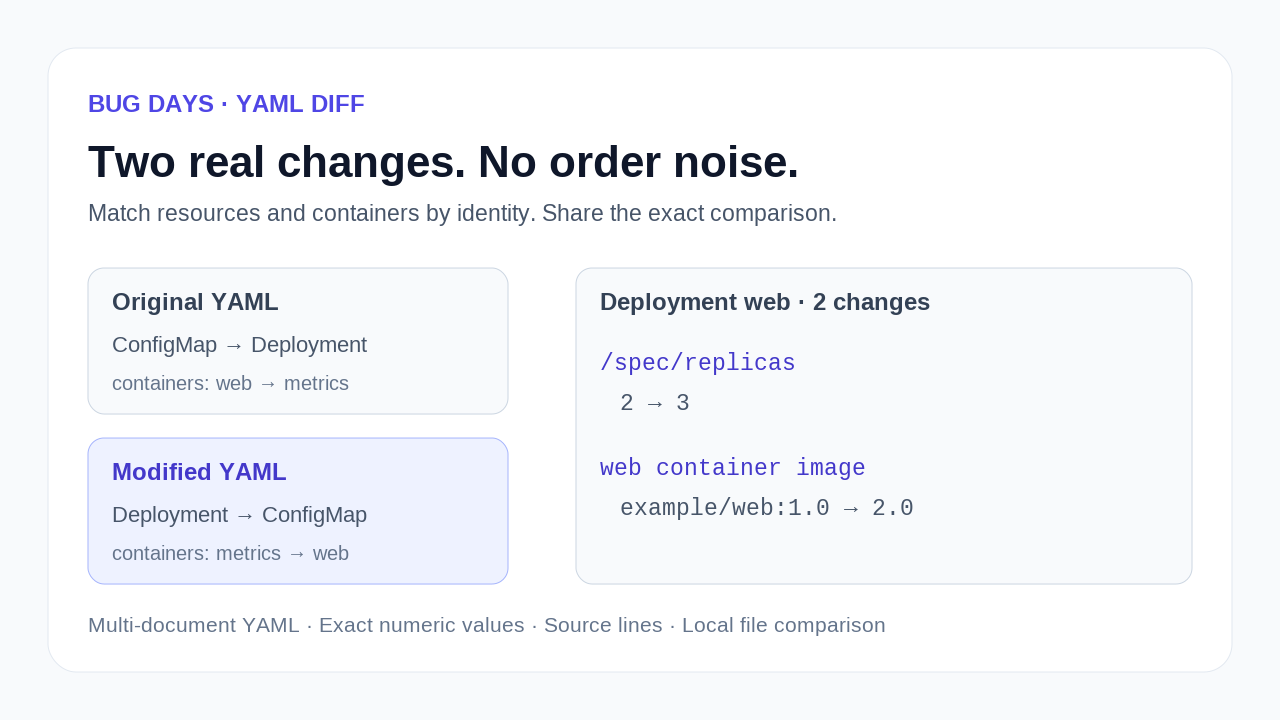
A deployment review should make a changed image or replica count obvious. A reordered document stream, a moved container, and a fresh resourceVersion can turn that review into pages of line differences. Start by deciding what identifies a resource and which ordering changes matter.
Try a YAML comparison with exactly two deployment changes
Open the two-change Kubernetes example ↗
This public-safe example opens YAML Diff with a ConfigMap and a Deployment on both sides. The modified file reverses document order, moves the web container behind the metrics container, updates a generated resource version, and makes two operational edits.
| Change | Original | Modified |
|---|---|---|
/spec/replicas | 2 | 3 |
| web container image | example/web:1.0 | example/web:2.0 |
The unchanged ConfigMap and metrics container do not generate extra changes. Select either finding to inspect the resolved values. The image finding points to container index 0 in the original file and index 1 in the modified file: field matching follows its name, not position. Jump to source opens the corresponding line in the complete input.
Match multi-document YAML by resource, not position
A YAML stream can contain documents separated by ---. By position is useful when document order deliberately identifies each configuration. Kubernetes resource matching uses apiVersion, kind, metadata.namespace and metadata.name instead. It pairs reordered resources and reports added or removed resources as whole-document changes.
Every document needs that identity; duplicates are rejected. An omitted namespace and an explicit namespace are different here. The browser does not know your current kubectl namespace, so it will not silently substitute default. Normalize that deliberately if the files should describe the same namespace.
Match containers by name, but keep command arguments ordered
Under List matching & ignored fields, select Match records by field and use name. Named containers and environment variables can then be paired even when reordered. Lists without that field, such as unnamed ports or scalar command arguments, remain positional. Partially populated or repeated identities are errors, not invitations to guess. The results count how many lists used field matching.
Ignore order is separate: it compares whole list values as a multiset, retaining duplicate counts. Use it for truly unordered lists, not command, args, ordered routing rules or task sequences. Changing an identity itself produces an addition and removal rather than a change inside the old record.
Ignore generated fields precisely
Ignore generated fields excludes these paths relative to each document:
/metadata/managedFields
/metadata/resourceVersion
/metadata/uid
/metadata/creationTimestamp
/status
Labels, annotations, selectors and application configuration are not automatically ignored. They can change behavior. Add an exact pointer to deliberately exclude one, such as /metadata/annotations/example.com~1lastUpdated. Use ~1 for a slash and ~0 for a tilde. A bare field name applies at every depth, so prefer an exact pointer when only one location should be skipped.
Render Helm templates before comparing manifests
YAML Diff reads YAML; it does not execute Helm templates. Use helm template to render the same chart with the two intended values files, then open the resulting files locally:
helm template web ./chart -f values-old.yaml > old.yaml
helm template web ./chart -f values-new.yaml > new.yaml
For values files themselves, positional document matching is usually enough. Mapping key order and comments do not affect comparison. Use Text Diff when you need to review comments, formatting or line movements.
What a browser YAML diff does not tell you
This is a local comparison, not Kubernetes API validation. It cannot tell you whether an image exists, a Deployment is healthy, or an admission controller would change it. kubectl diff has a different purpose: comparing supplied configuration with what applying it would produce in a cluster. Use that workflow when live cluster behavior is the question.
YAML Diff uses YAML 1.2 core types plus merge keys. Anchors and aliases resolve to their values. Large integers and precise decimals stay distinguishable, and a quoted number remains a string. Unsupported tags, YAML 1.1 directives, duplicate keys and cyclic aliases produce errors. Format both verifies that formatting preserves resolved values, comments and anchors; errors leave both inputs untouched.
Share a reproducible review, or keep a complete report
Share comparison retains both inputs and all matching settings. An embedded link carries the state in the URL fragment; an optional stored short link explicitly uploads it. Anyone with the link can read it. Ignored fields are not redacted, and Kubernetes Secret values are not safe to share merely because they are Base64-encoded. Use synthetic or reviewed inputs for public questions.
JSON and TXT reports contain all findings, rules and source locations—not just search-filtered rows. JSON represents values as YAML text so exact digits survive export. Copy an individual resolved value or pointer when a full report is unnecessary. Files, comparison and formatting run locally in your browser; no signup or local bridge is needed.