Convert Epoch to ISO 8601 with the Correct Timezone Offset
Convert Unix seconds or milliseconds to ISO 8601, interpret dates in an IANA timezone, handle daylight-saving gaps and overlaps, and share the exact moment.
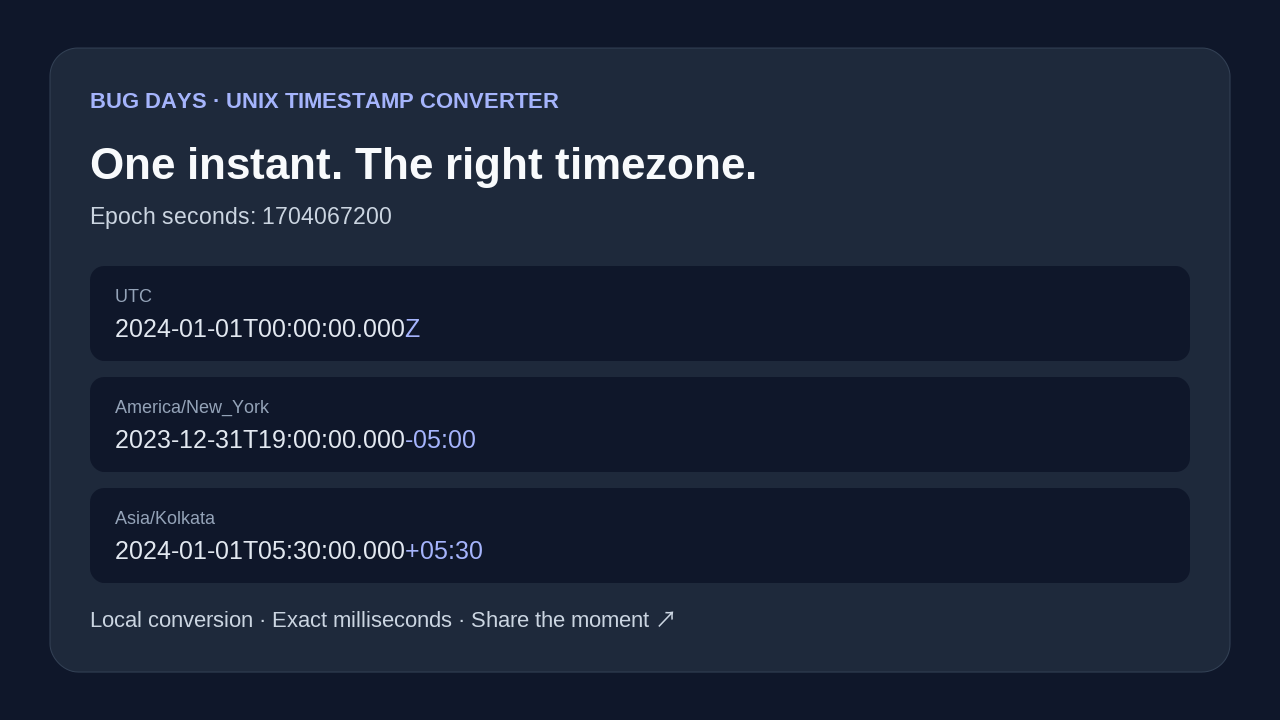
A timestamp in a log and a date in a support ticket can describe the same event but look hours apart. The useful question is not just “what time is this?” It is “which moment, and in which timezone?”
One epoch timestamp, three ISO 8601 dates
Unix seconds 1704067200 and Unix milliseconds 1704067200000 identify the same instant. Changing the display timezone does not change either number.
UTC                 2024-01-01T00:00:00.000Z
America/New_York    2023-12-31T19:00:00.000-05:00
Asia/Kolkata        2024-01-01T05:30:00.000+05:30
Open the epoch-to-ISO example ↗
Select New York, UTC, or your own target timezone. Target ISO 8601, converted local time, the readable date, and RFC 2822 update together, while the source stays visible. The numeric offset applies to that date, not merely the current offset in that region.
Convert local time between source and target timezones
Choose From · source timezone, enter the source date and time, then choose To · target timezone. The source defaults to your browser’s timezone and the target defaults to UTC. For example, 09:00 in Asia/Kolkata on January 1, 2024 becomes 03:30 UTC, or 22:30 the previous evening in New York:
Source: Asia/Kolkata      2024-01-01T09:00:00.000+05:30
Target: America/New_York  2023-12-31T22:30:00.000-05:00
Epoch milliseconds:      1704079800000
Open the Kolkata-to-New-York example ↗. Change the target to UTC to see 03:30 without changing the instant. Change the source to another zone to reinterpret the entered 09:00 local time. Swap zones reverses the view while preserving the instant.
Enter a date in the source picker, or paste ISO 8601, a human-readable date or RFC 2822 into the source card. Dates without an offset use the source timezone. All target dates are read-only results: choose a different target timezone to convert the same moment, then select or copy the result. An explicit ISO offset identifies its own instant: 2024-01-01T09:00:00+05:30 identifies 2024-01-01T03:30:00Z regardless of either selector. Epoch timestamps and current-time snapshots remain fixed when either zone changes. RFC 3339’s Internet timestamp profile describes the familiar date-time-plus-offset form. The HTML datetime-local picker itself has no timezone; this tool supplies that interpretation explicitly.
Seconds versus milliseconds: avoid the thousandfold error
The compact, left-aligned Unix timestamps group is timezone-independent: neither the seconds nor the milliseconds belongs to the source or target zone. Both fields sit together, separate from the source and target date cards. Use those labeled fields rather than guessing from a number’s length. JavaScript’s Date constructor takes milliseconds; many APIs and database timestamps use seconds. Fractional seconds are supported to millisecond precision: 1704067200.123 becomes 1704067200123. RFC 2822 output has whole-second precision, so use ISO 8601 or the millisecond field when copying an exact instant.
The source card stays on the left and the target card stays on the right; on phones they stack source first. Each card contains its timezone selector, local date, ISO 8601 value, readable date and RFC 2822 date. The target card’s indigo background distinguishes converted values. Fields marked Editable accept input and update every value. Read-only results have shaded backgrounds and dashed borders; you can still select or copy them. Changing or swapping zones keeps every value in its own card, while the epoch fields remain separate.
Daylight saving: a local time can happen zero or two times
In New York, 2024-03-10T02:30:00 never happened: the clock jumped from 01:59 to 03:00. The converter rejects that input instead of moving it silently.
On November 3, 2024, 01:30 happened twice. Select America/New_York as the source, enter 2024-11-03T01:30:00, then use the first/second occurrence selector:
First:   2024-11-03T01:30:00.000-04:00 = 2024-11-03T05:30:00Z
Second:  2024-11-03T01:30:00.000-05:00 = 2024-11-03T06:30:00Z
Inspect the second occurrence ↗. Both source and target stay visible, so the repeated local clock time is distinguishable by its offset and UTC instant. Timezone rules come from your browser’s timezone database. This converter does not model leap seconds or historical offsets containing seconds; it reports those limitations rather than producing a misleading ISO value.
Share the time, not a screenshot of the clock
Choose Share time to send the exact timestamp and both source and target timezones. The Kolkata-to-New-York link above opens a complete conversion that the recipient can inspect and edit. Use current time captures a snapshot; the shared link does not calculate a new “now” when opened. Embedded links hold the state in their URL fragment. Optional stored short links use the site’s sharing service; conversion itself never uploads the entered date.
For scheduled jobs, check Cron Parser and the cron timezone guide. For a Kafka incident window, use the converted epoch milliseconds in the Kafka message browser. If the timestamp came from an API payload, inspect the original in JSON Formatter before changing its representation.