Decode Base64 GZip to JSON: A Worked Example
Decode a Base64 GZip string into readable JSON, understand the H4sI prefix, and share a working example that opens directly in the browser tool.
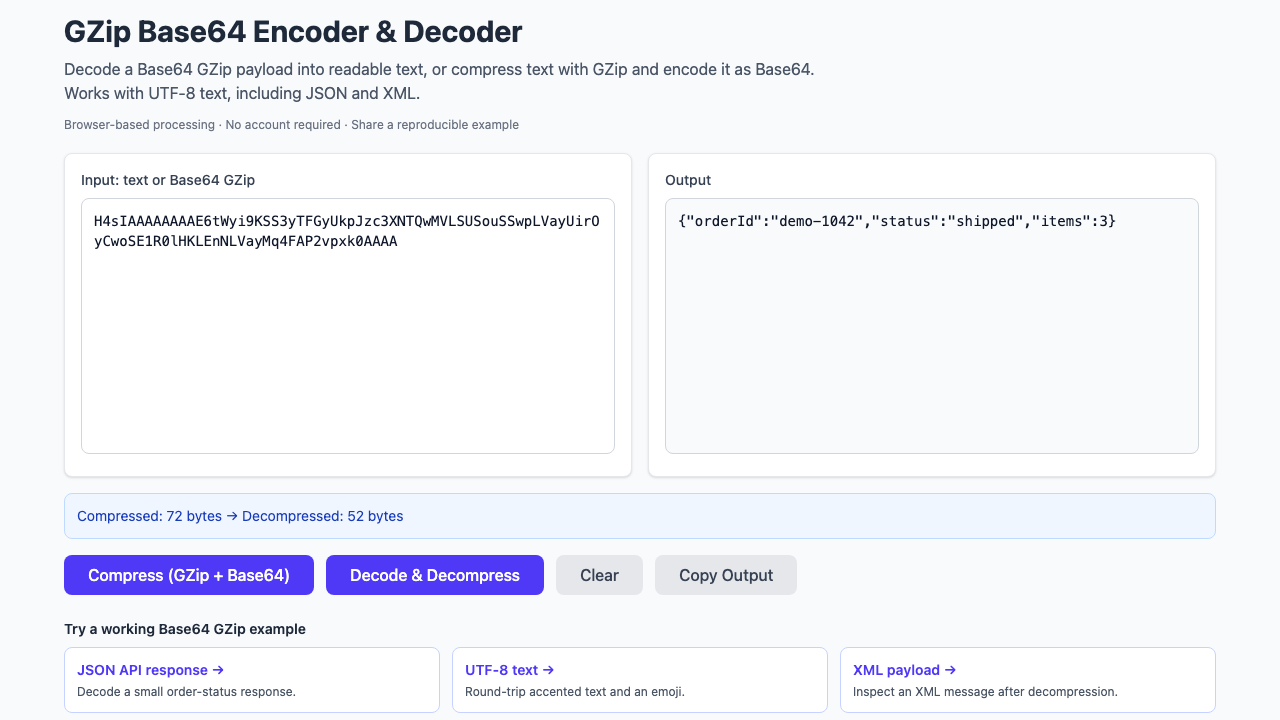
You copy a value from an API response or log, paste it into a Base64 decoder, and get unreadable characters. The value may be Base64-encoded compressed data, not Base64-encoded text. If the sender used GZip, there is one more step before you can read it.
The decoding order: Base64 string → compressed bytes → GZip decompression → UTF-8 text. Parse or format the JSON only after those steps.
A complete Base64 GZip example
This small order-status message is synthetic. The link opens the GZip Base64 decoder with the input and decompression action already selected, so you can compare the result without assembling a test yourself.
Base64-encoded GZip input
H4sIAAAAAAAAE6tWyi9KSS3yTFGyUkpJzc3XNTQwMVLSUSouSSwpLVayUirOyCwoSE1R0lHKLEnNLVayMq4FAP2vpxk0AAAAExpected decoded text
{"orderId":"demo-1042","status":"shipped","items":3}Open this decoding example → Try the reverse: compress this text →
These links carry the synthetic sample and operation in the URL. They do not depend on a 30-day stored short link.
Decode your own payload in the browser
- Copy the complete Base64 string. If it is a JSON property, copy its value, not the key, surrounding quotes, or comma.
- Open the decoder and replace Input with that value.
- Select Decode & Decompress.
- Compare Output with what the producer says it sent. Use Copy Output to move JSON into the JSON formatter for indentation and validation.
Decompression does not guarantee JSON. The producer might have compressed XML, a log line, or another text format. The tool displays decoded text as supplied; it does not silently rename fields, reorder properties, or pretty-print the payload.
What does the H4sI prefix tell you?
A usual GZip stream begins with the bytes 1f 8b 08: two identifying bytes followed by the DEFLATE compression-method byte. Their Base64 representation is H4sI. That makes the prefix a useful clue when examining a captured string. The header layout is defined in RFC 1952.
A matching prefix is not an integrity check. A truncated copy can retain its first four characters and still fail to decompress. If the example above works but your payload does not, follow the Base64 GZip troubleshooting guide.
GZip and Base64 do different jobs
GZip is the compression layer. Base64 makes its binary result convenient to carry inside a text field. Neither step is encryption. The standard Base64 representation uses printable characters and may end with = padding; see RFC 4648.
“Base64 GZip” describes the payload, but is an ambiguous instruction for creating one. To produce the format used here, start with text, encode it as UTF-8, compress those bytes with GZip, and Base64-encode the compressed result. The reverse-example link above follows that order.
Share an example someone else can reproduce
A useful question includes the encoded value, the result you expected, and the operation that failed. Add a runnable link beside that explanation so a reader can try it immediately. The text should remain understandable even without following the link.
- Replace customer values or credentials with a small synthetic message before compressing it.
- Run the operation in Bug Days, then select Share.
- Choose the embedded-data link for an example that should not depend on short-link storage. Copy the link offered by the Share dialog.
Embedded links contain the sample itself; anyone with the link can read it. The separate short-link option stores a sample for 30 days. The worked examples on this page use embedded links, with no stored short-link record.
When to use a script instead
The browser is convenient for checking one message. For a repeated job, move the same steps into your application or a local script. Our Python and Node.js recipes use the standard libraries and include a Unicode example to catch character-encoding mistakes.