SOAP API Authentication: Basic Auth, WS-Security, and mTLS
Identify which SOAP authentication layer a service expects, test HTTP credentials safely, recognize WS-Security headers, and separate mTLS failures from SOAP faults.
“The SOAP authentication failed” can describe failures at three different layers: the TLS connection, HTTP authentication, or security information inside the SOAP envelope. Changing XML will never repair a rejected client certificate, and changing an HTTP header will not satisfy a signed WS-Security policy.
Identify the layer before changing credentials: mTLS happens during the TLS handshake, Basic or Bearer authentication travels in HTTP headers, and WS-Security tokens and signatures live inside the SOAP header.
SOAP authentication methods compared
| Method | Where it appears | What a test client needs |
|---|---|---|
| HTTP Basic | Authorization HTTP header | Username, password, and TLS |
| Bearer token | Authorization HTTP header | Token issuer flow, audience/scope, and unexpired token |
| API key | Vendor-defined HTTP header or, less safely, query parameter | Exact header name and gateway policy |
| WS-Security UsernameToken | wsse:Security inside the SOAP header | Username plus the required password, nonce, and timestamp representation |
| WS-Security signature/encryption | Signed or encrypted XML elements in the SOAP header/body | Keys, certificates, canonicalization, reference IDs, algorithms, and policy-compatible tooling |
| Mutual TLS (mTLS) | TLS handshake before any HTTP or SOAP message | Client certificate, private key, chain, trust store, and hostname validation |
| NTLM/Kerberos | Connection and HTTP negotiation | Platform/domain integration and a compatible native client |
Test HTTP Basic authentication safely
Basic authentication encodes username:password in Base64; Base64 is not encryption. The endpoint must use correctly verified HTTPS. In a SOAP client, choose Basic authentication, enter temporary test credentials, and verify whether the server responds with an HTTP challenge, an authorization failure, or a SOAP fault.
Do not paste the generated Authorization value into tickets or shared requests. Rotate test credentials if they are exposed. A WSDL URL and the SOAP endpoint may also be protected differently, so successfully loading the contract does not prove that the same identity can call an operation.
Bearer tokens and API keys are HTTP concerns
Some modern gateways protect older SOAP services with OAuth bearer tokens or API keys. These are usually ordinary HTTP headers placed alongside Content-Type and SOAPAction. Confirm the exact token audience, scope, expiry, and header name with the gateway owner.
POST /CustomerService HTTP/1.1
Content-Type: text/xml; charset=utf-8
SOAPAction: "urn:GetCustomer"
Authorization: Bearer REDACTED
X-API-Key: REDACTED
If the gateway returns HTTP 401 or 403 without a SOAP envelope, debug the HTTP policy first. If it returns a structured SOAP fault, the request likely reached a SOAP-aware component and the fault code and detail become the stronger evidence.
Recognize a WS-Security UsernameToken
WS-Security is message-level security. A UsernameToken is placed inside the SOAP header and can use a plaintext password or a digest with nonce and creation time, depending on the service policy. The exact namespaces, password type, timestamp format, and replay controls matter.
<soap:Header>
  <wsse:Security
    xmlns:wsse="http://docs.oasis-open.org/wss/2004/01/
      oasis-200401-wss-wssecurity-secext-1.0.xsd"
    xmlns:wsu="http://docs.oasis-open.org/wss/2004/01/
      oasis-200401-wss-wssecurity-utility-1.0.xsd">
    <wsse:UsernameToken wsu:Id="UsernameToken-1">
      <wsse:Username>test-user</wsse:Username>
      <wsse:Password Type="...#PasswordText">REDACTED</wsse:Password>
    </wsse:UsernameToken>
  </wsse:Security>
</soap:Header>
This is only a structural example. Do not assume that PasswordText is accepted or copy a namespace from an unrelated service. The service’s policy and the OASIS UsernameToken Profile define the required form.
Signatures are not “just another header”
XML signatures depend on canonicalized bytes, namespace context, ID references, transforms, certificate selection, and algorithm policy. Reformatting signed XML after calculating a signature can invalidate it. Encryption adds key-transport and element-selection requirements.
For signed or encrypted WS-Security messages, begin with the service’s policy and a supported implementation. Compare a generated request with a known-good message, but never reuse production signatures, nonces, or timestamps as static fixtures.
mTLS fails before the SOAP operation
With mutual TLS, the server requests a client certificate while establishing TLS. If certificate selection, the private key, the issuing chain, certificate usage, or trust policy fails, there may be no HTTP status and no SOAP fault to inspect.
- Confirm the client certificate has its matching private key.
- Send the required intermediate certificate chain.
- Verify the certificate is valid for client authentication and has not expired.
- Keep server hostname verification enabled.
- Distinguish a client certificate from the server certificate you are inspecting.
Browser certificate selection and enterprise trust policy are controlled outside an ordinary web page. Use an approved native or internal client when the workflow requires mTLS, smart cards, NTLM, Kerberos, or managed private keys.
Use the response to locate the failure
| Evidence | Start investigating |
|---|---|
| TLS alert, connection reset, or certificate-selection prompt | mTLS certificate, key, chain, hostname, and trust policy |
| HTTP 401 | Missing or invalid HTTP identity, challenge scheme, token expiry, or gateway |
| HTTP 403 | Authenticated identity lacks permission, scope, role, or network access |
| HTTP 415 | SOAP 1.1/1.2 content type mismatch—not usually authentication |
SOAP MustUnderstand fault | Security header namespace, actor/role, or unsupported security module |
| Security or timestamp SOAP fault | Clock skew, expired token, nonce replay, signature references, or policy mismatch |
A safe SOAP authentication workflow
- Use a non-production account and synthetic payload.
- Verify TLS and the concrete SOAP endpoint.
- Identify whether the requirement is HTTP auth, WS-Security, mTLS, or more than one.
- Match SOAP version, content type, action, and namespaces independently of authentication.
- Capture the HTTP status, response headers, SOAP fault, and timing.
- Redact credentials, tokens, cookies, security headers, and sensitive XML before sharing.
The W3C SOAP specification index links to the SOAP 1.1 and 1.2 protocol documents. Those specifications define the envelope and binding; WS-Security is a separate family of OASIS standards.
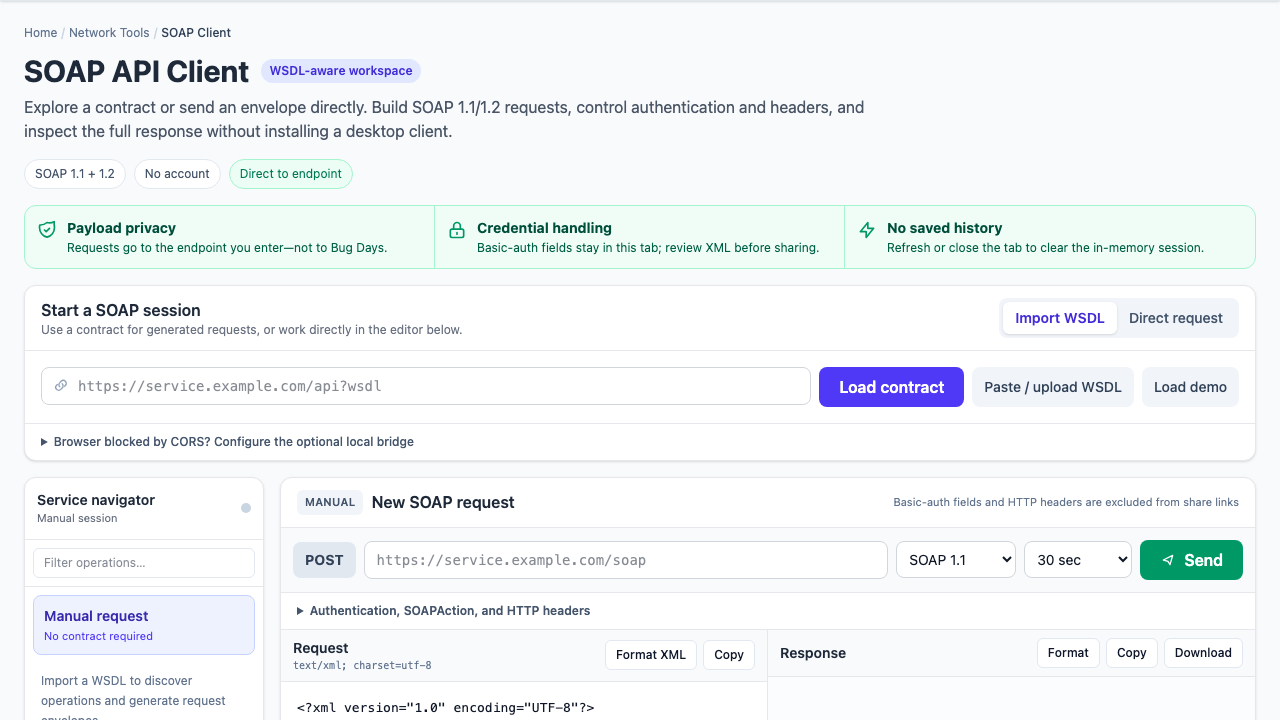
Bug Days boundary: the SOAP client directly supports HTTP Basic authentication and custom HTTP headers. It lets you edit SOAP headers manually but does not generate WS-Security signatures or automate mTLS, NTLM, or Kerberos. Basic-auth fields and custom HTTP headers are excluded from shares; credentials embedded in XML must be removed by you before sharing.