PEM vs DER vs CER vs P7B: Certificate Formats Explained
Identify common X.509 certificate formats, inspect their contents, convert them safely with OpenSSL, and avoid confusing filename extensions with encodings.
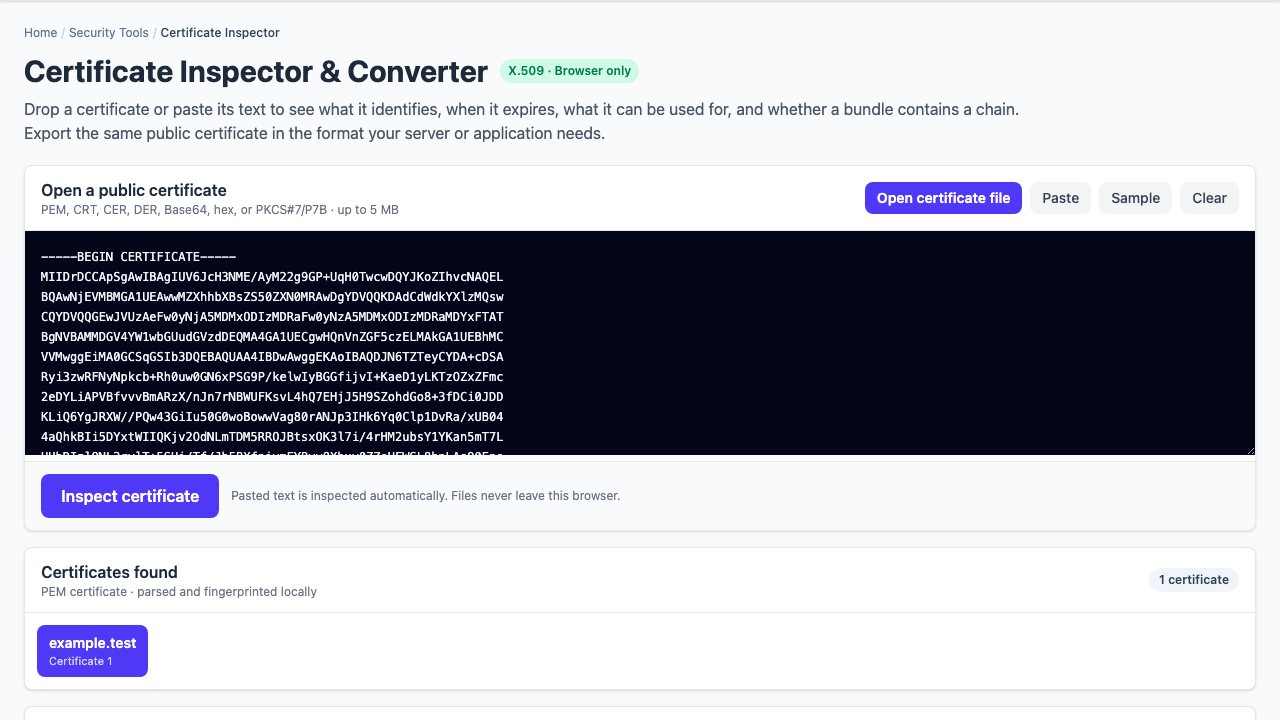
A certificate ticket often begins with an unhelpful sentence: “The vendor sent a CER, but the server needs PEM.” The extension sounds like a format, yet .cer and .crt frequently describe the role of a file rather than its actual encoding.
The useful distinction: X.509 describes the certificate structure. DER is its binary encoding. PEM is Base64-encoded DER wrapped in readable header and footer lines. CER and CRT are ambiguous filename conventions. P7B is usually a certificate bundle.
Identify the contents before converting
Open the file in a text editor or inspect its first bytes. A PEM certificate is immediately recognizable:
-----BEGIN CERTIFICATE-----
MIID...base64 data...
-----END CERTIFICATE-----
If the file looks binary, it may be DER. Do not rename it and assume the encoding changed; renaming server.cer to server.pem changes only the label.
# Try PEM input first
openssl x509 -in server.cer -noout -subject -issuer -dates

# If that fails and the file is binary, try DER
openssl x509 -inform DER -in server.cer -noout -subject -issuer -dates
The formats at a glance
| Name | Typical contents | Encoding | Important caveat |
|---|---|---|---|
| PEM | Certificate, chain, public key, or private key | Base64 text with BEGIN/END labels | The label tells you what the block contains |
| DER | Usually one certificate or key object | Binary ASN.1 DER | Not readable in a normal text editor |
| CER / CRT | Usually an X.509 certificate | Could be PEM or DER | The extension alone is not enough |
| P7B / P7C | Certificates and chains | PEM or DER PKCS#7/CMS | Normally does not contain private keys |
| P12 / PFX | Certificates plus private keys | Binary PKCS#12 | Often password-protected and must be handled as secret material |
Convert PEM and DER without changing the certificate
Encoding conversion should preserve the certificate’s signed data. After conversion, subject, issuer, serial number, validity, public key, extensions, and fingerprints should describe the same certificate.
# PEM certificate to binary DER
openssl x509 -in certificate.pem -outform DER -out certificate.der

# Binary DER certificate to PEM
openssl x509 -inform DER -in certificate.der -outform PEM -out certificate.pem
Verify both sides rather than trusting the extension:
openssl x509 -in certificate.pem -noout -fingerprint -sha256
openssl x509 -inform DER -in certificate.der -noout -fingerprint -sha256
The SHA-256 certificate fingerprint should match because the underlying DER certificate is unchanged.
Extract certificates from a P7B bundle
A PKCS#7 bundle commonly arrives from a Windows or enterprise PKI workflow. It can carry the leaf certificate and intermediate certificates together.
# PEM-encoded PKCS#7 bundle
openssl pkcs7 -in chain.p7b -print_certs -out chain.pem

# Binary DER-encoded PKCS#7 bundle
openssl pkcs7 -inform DER -in chain.p7b -print_certs -out chain.pem
Inspect how many certificates were extracted and identify each subject and issuer. Bundle order is not always proof of the intended trust path, and the presence of a root certificate does not make that root trusted by a particular operating system or application.
Certificate validity is not the same as trust
A file decoder can establish what a certificate says: names, dates, key usage, extensions, fingerprints, and signatures within a supplied bundle. It cannot establish how a remote server presents the chain, whether hostname verification succeeds, whether revocation is enforced, or whether a specific machine trusts the root.
For a live endpoint, inspect the certificate chain, expiry, SAN, and SNI from the relevant network. For a local file, use the certificate inspector to answer the narrower—and still valuable—question: “What exactly is in this file?”
Avoid the dangerous conversion mistake
Certificates contain public keys and are normally safe to inspect. Private keys are secrets. A PEM private key has a label such as BEGIN PRIVATE KEY, BEGIN ENCRYPTED PRIVATE KEY, or an algorithm-specific private-key label. Do not paste one into a public site, support ticket, chat, or certificate-only converter.
Practical handoff checklist
- Record the actual encoding, not only the filename extension.
- Confirm subject alternative names match the service hostnames.
- Check both not-before and not-after dates.
- Preserve the original file and compare SHA-256 fingerprints after conversion.
- Keep leaf, intermediate, and root roles distinct.
- Never include a private key unless the destination explicitly requires it and the transfer is approved.
Tool boundary: Bug Days inspects public certificate material locally in the browser. It intentionally does not accept PKCS#12/PFX private-key archives.