How to Test a SOAP API from a WSDL: SOAP 1.1 vs 1.2
Turn a WSDL operation into a working request, choose the right SOAP version and headers, interpret faults, and recognize browser CORS limitations.
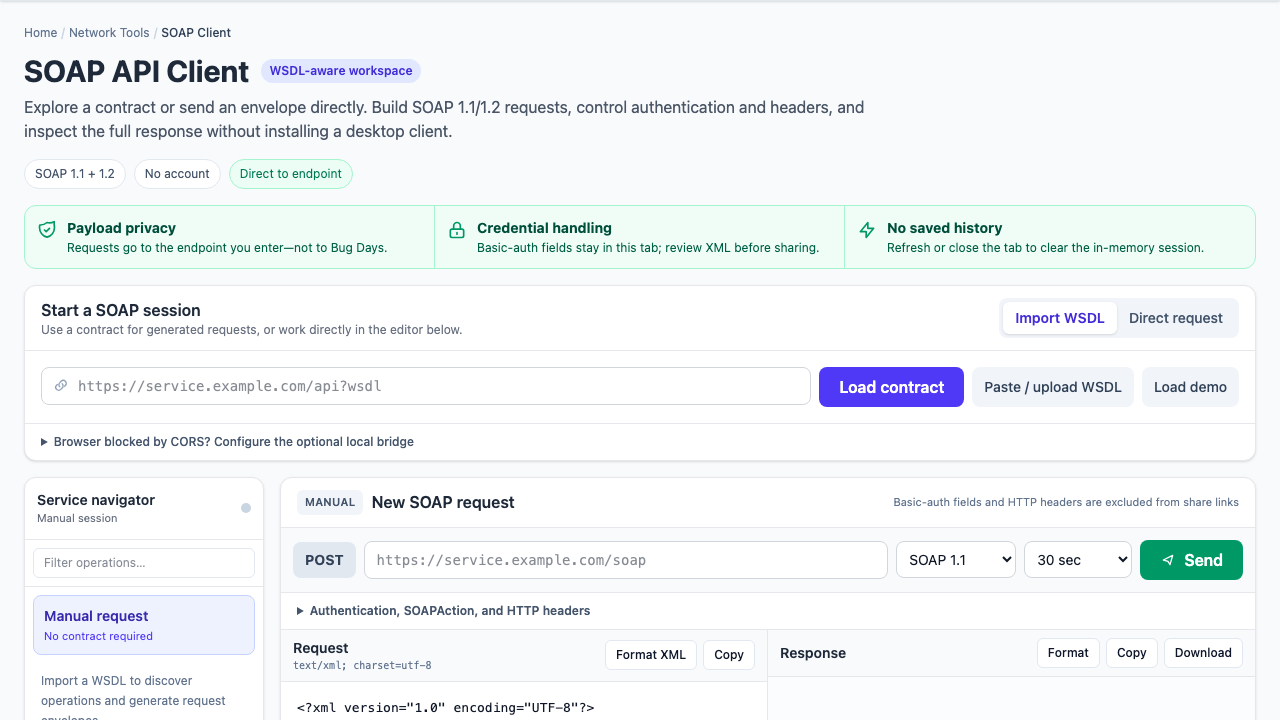
SOAP failures often look more mysterious than they are. A service returns HTTP 415, “action not supported,” or a namespace fault, and the request XML looks perfectly reasonable. The missing clue is usually in the contract: SOAP version, binding, endpoint, action, or qualified element names.
The reliable workflow: choose an operation from the correct WSDL binding, start with its generated envelope, preserve its namespaces, send the version-appropriate content type and action, and read the SOAP fault before changing the business payload.
What the WSDL gives you
A WSDL is not merely a sample request. Depending on its version and structure, it connects several pieces:
- Service and port: where a particular binding is exposed.
- Binding: the protocol details, including SOAP 1.1 or SOAP 1.2.
- Operation: the callable action and its input/output messages.
- Schema: element names, namespaces, types, and required structure.
A contract can expose multiple ports or bindings. Do not assume the first endpoint and the first operation belong together.
Start with one operation, not a blank editor
- Load the WSDL from a URL, local file, or pasted XML.
- Select the intended service, port, and operation.
- Confirm the generated endpoint is appropriate for the environment.
- Fill in required values without removing namespace declarations.
- Check authentication and any application-specific headers.
Imported WSDL endpoints are often production URLs, obsolete hosts, or internal names. Treat the address as contract data to verify, not an instruction to send blindly.
SOAP 1.1 and SOAP 1.2 use different HTTP conventions
| Detail | SOAP 1.1 | SOAP 1.2 |
|---|---|---|
| Envelope namespace | http://schemas.xmlsoap.org/soap/envelope/ | http://www.w3.org/2003/05/soap-envelope |
| Typical content type | text/xml; charset=utf-8 | application/soap+xml; charset=utf-8 |
| Action | Usually a separate SOAPAction HTTP header | Can be an action content-type parameter |
| Fault shape | faultcode, faultstring, detail | Code, Reason, Detail |
Typical SOAP 1.1 request headers
POST /CustomerService HTTP/1.1
Content-Type: text/xml; charset=utf-8
SOAPAction: "urn:GetCustomer"
Typical SOAP 1.2 request headers
POST /CustomerService HTTP/1.1
Content-Type: application/soap+xml; charset=utf-8; action="urn:GetCustomer"
The binding is the authority. Some SOAP stacks are lenient; enterprise gateways often are not. An HTTP 415 commonly points to the content type or version before it points to the payload.
Namespaces matter more than prefixes
In XML, the prefix is shorthand. The namespace URI carries the identity. These two elements are equivalent if both prefixes resolve to the same URI:
<cus:GetCustomer xmlns:cus="urn:customers">...</cus:GetCustomer>
<c:GetCustomer xmlns:c="urn:customers">...</c:GetCustomer>
Removing the namespace, however, produces a different element. “Operation not found” and deserialization errors frequently come from a correct local name in the wrong namespace.
Read the fault before rewriting the request
A SOAP fault is structured diagnostic output. Preserve the HTTP status, response headers, fault code, human-readable reason, and detail block. Then classify the failure:
- HTTP 401 or 403: authentication or authorization happened before the operation.
- HTTP 404: verify the concrete endpoint, not just the WSDL URL.
- HTTP 415: verify SOAP version and content type.
- Action mismatch: compare the binding’s action with the HTTP action.
- XML/schema fault: inspect qualified element names, ordering, cardinality, and value formats.
Authentication is not the same as WS-Security
HTTP Basic authentication is an HTTP header. WS-Security places tokens, timestamps, signatures, or encryption inside the SOAP header and may require canonicalization and certificate material. A client that can send Basic auth does not automatically implement a service’s WS-Security policy.
Start from a known-good request or the organization’s policy when signatures, client certificates, NTLM/Kerberos, or vendor-specific security handlers are involved.
Understand browser CORS before blaming SOAP
A browser can reach a service only when the service permits the web origin and required headers, or when a local bridge handles the request. A CORS failure means the browser blocked access to the response; it does not prove the SOAP endpoint rejected the envelope.
Bug Days sends directly to the endpoint you enter. If browser CORS blocks the request, the optional Holy CORS bridge runs on your own machine. It is not a hosted relay. For mTLS, integrated Windows authentication, private PKI policy, or sensitive production workflows, use an approved internal or desktop client.
Minimal SOAP debugging checklist
- Confirm the selected port, binding, and endpoint belong together.
- Match the envelope namespace and content type to SOAP 1.1 or 1.2.
- Use the exact action required by the binding.
- Preserve operation and child-element namespaces.
- Separate HTTP authentication from WS-Security requirements.
- Capture the complete fault and HTTP status before editing the payload.
- Distinguish service errors from browser CORS enforcement.
For the protocol definitions, the W3C SOAP specifications index links to SOAP 1.1 and the SOAP 1.2 recommendations.