Java GZip Base64: Compress and Decode Strings with UTF-8
Decode Base64 GZip in Java with a complete UTF-8 example. Fix GZIPInputStream errors, limit decompression, and share a runnable sample.
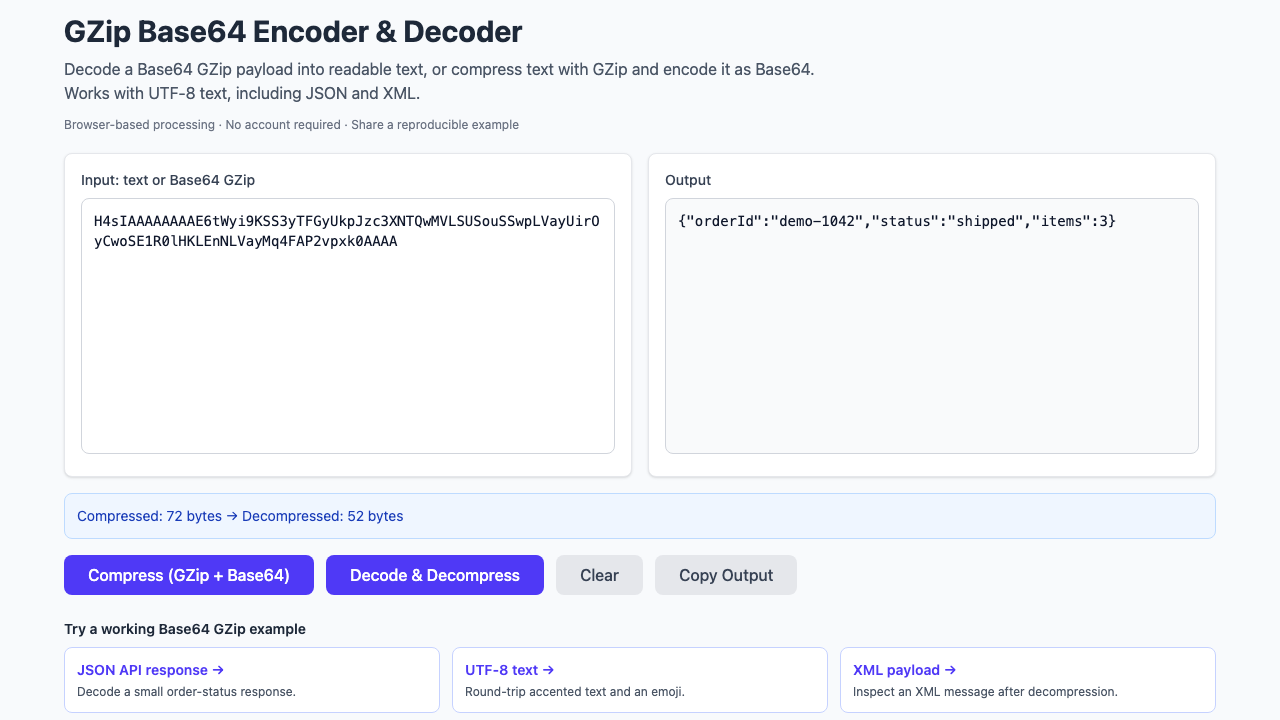
To decode a Base64 GZip string in Java, use Base64.getDecoder() to recover the compressed bytes, read them through GZIPInputStream, then decode the result as UTF-8. Encoding reverses that order: UTF-8 bytes, GZip compression, then Base64. The standard JDK has everything needed; no Apache Commons or other dependency is required.
Try a Base64 GZip example before writing code
This JSON fixture includes an accented character and an emoji, so it also checks your text encoding. Open the runnable link to see the expected result in the online GZip Base64 decoder. You can copy that same link into a ticket alongside the input and expected output.
Base64-encoded GZip input
H4sIAAAAAAAAE6tWyk0tLk5MT1WyUvJIzcnJ11FITkw7vFLh0YypSjpKyZkllUpWSr75eSVFh1cm5ijVAgAFgXCmMQAAAA==Expected decoded text
{"message":"Hello, café ☕","city":"Montréal"}Open this decoding example → Try the reverse: compress this text →
These links carry the synthetic sample and operation in the URL. They do not depend on a 30-day stored short link.
Complete Java example: compress and decompress a string
Save this as GzipBase64.java. It uses Java 8 APIs and was checked with a Java 21 JDK. The example limits decompressed output to 1 MiB; choose a limit appropriate to your application rather than trusting compressed size to predict memory use.
import java.io.ByteArrayInputStream;
import java.io.ByteArrayOutputStream;
import java.io.IOException;
import java.nio.ByteBuffer;
import java.nio.charset.StandardCharsets;
import java.util.Base64;
import java.util.zip.GZIPInputStream;
import java.util.zip.GZIPOutputStream;

public class GzipBase64 {
    public static String encode(String text) throws IOException {
        ByteArrayOutputStream bytes = new ByteArrayOutputStream();
        try (GZIPOutputStream gzip = new GZIPOutputStream(bytes)) {
            gzip.write(text.getBytes(StandardCharsets.UTF_8));
        } // Close finishes the GZip trailer before we read the bytes.
        return Base64.getEncoder().encodeToString(bytes.toByteArray());
    }

    public static String decode(String encoded, int maxOutputBytes)
            throws IOException {
        if (maxOutputBytes < 0) {
            throw new IllegalArgumentException("Negative output limit");
        }
        byte[] compressed = Base64.getDecoder().decode(encoded);
        ByteArrayOutputStream output = new ByteArrayOutputStream();
        try (GZIPInputStream gzip = new GZIPInputStream(
                new ByteArrayInputStream(compressed))) {
            byte[] buffer = new byte[8192];
            int read;
            while ((read = gzip.read(buffer)) != -1) {
                if (read > maxOutputBytes - output.size()) {
                    throw new IOException("Decompressed data exceeds limit");
                }
                output.write(buffer, 0, read);
            }
        }
        // Report invalid UTF-8 instead of replacing damaged characters.
        return StandardCharsets.UTF_8.newDecoder()
                .decode(ByteBuffer.wrap(output.toByteArray())).toString();
    }

    public static void main(String[] args) throws IOException {
        if (args.length > 0) {
            System.out.println(decode(args[0], 1024 * 1024));
            return;
        }
        String text = "{\"message\":\"Hello, café ☕\",\"city\":\"Montréal\"}";
        String encoded = encode(text);
        System.out.println(encoded);
        System.out.println(decode(encoded, 1024 * 1024));
    }
}
javac -encoding UTF-8 GzipBase64.java
java -Dfile.encoding=UTF-8 GzipBase64The first line is the encoded payload. The second must be {"message":"Hello, café ☕","city":"Montréal"}. To test the fixture above, pass its Base64 string as a single quoted command-line argument. In a real service, read payloads from the request body or a stream instead of command-line arguments.
Read the stream to its end: GZip checksum and trailer errors can appear late. Also cap the incoming request size before calling this method. Its output limit bounds decompression, but Base64.decode still allocates memory for the entire compressed input.
Why closing GZIPOutputStream matters
flush() is not the same as finishing a GZip member. Reading the byte array before close() or finish() can leave the checksum and length trailer missing. The try-with-resources block above finishes the stream before Base64 encoding begins. Closing a ByteArrayOutputStream does not discard its stored bytes.
Choose the right Java Base64 decoder
| Producer format | Java decoder | Check first |
|---|---|---|
Standard Base64 using + and / | Base64.getDecoder() | No surrounding JSON quotes or MIME line breaks. |
Base64URL using - and _ | Base64.getUrlDecoder() | Common in URLs and tokens; not necessarily compressed. |
| MIME-wrapped Base64 | Base64.getMimeDecoder() | Use only for an expected MIME format; it tolerates non-alphabet characters. |
Java’s basic decoder accepts valid unpadded final groups, but incorrect supplied padding still fails. Do not fix every decode error by switching to the forgiving MIME decoder. It can hide copying mistakes. See the JDK Base64 decoder contract and our Base64 vs Base64URL guide.
Fix “Not in GZIP format,” truncated streams, and broken text
| Failure | Likely layer | Next check |
|---|---|---|
IllegalArgumentException decoding Base64 | Text encoding | Variant, padding, quotes, spaces that replaced plus signs, or incomplete input. |
Not in GZIP format | Compression header | Decoded GZip bytes start with 1f 8b 08. ZIP, zlib, raw DEFLATE, and plain JSON are different formats. |
| EOF or corrupt-trailer error | Compressed stream | Truncation, altered bytes, or a producer that did not finish the stream. |
| UTF-8 decoding error | Decompressed bytes | The payload may be binary or a different character encoding, not UTF-8 text. |
The GZIPInputStream documentation describes format and I/O errors. Isolate the failing layer before altering input. A payload beginning with H4sI suggests a GZip header, but does not prove the rest is intact.
Interoperate with Python, Node.js, and HTTP clients
Equivalent inputs can produce different valid compressed bytes because implementations choose different headers or compression settings. Compare the decoded text or original bytes, not just the Base64 strings. The Python and Node.js recipes use the same Unicode fixture as this Java example.
An HTTP Content-Encoding: gzip body is normally raw compressed bytes, not Base64 text, and your HTTP library may already decompress it. A JSON property that contains Base64 GZip is a different contract. Only perform the steps your producer actually used.
Share a Java decoding bug with a runnable input
Reduce the failing payload to fictional data, open it in the decoder, then use Share and choose the embedded-data link. Include the Java version, exception, expected text, and encoding order in the ticket. The link carries the input and operation; the reader does not need to recreate your project just to check the payload. Anyone with the link can read its data, so use a reproducer rather than a production token or customer record.